
How to check scientific figure size and resolution before submission
Start with the target publication width and the actual pixel count of each placed raster image. Divide the pixels by the width in inches to find effective PPI. Open the submitted file at that width to check labels, line work and any embedded raster images.
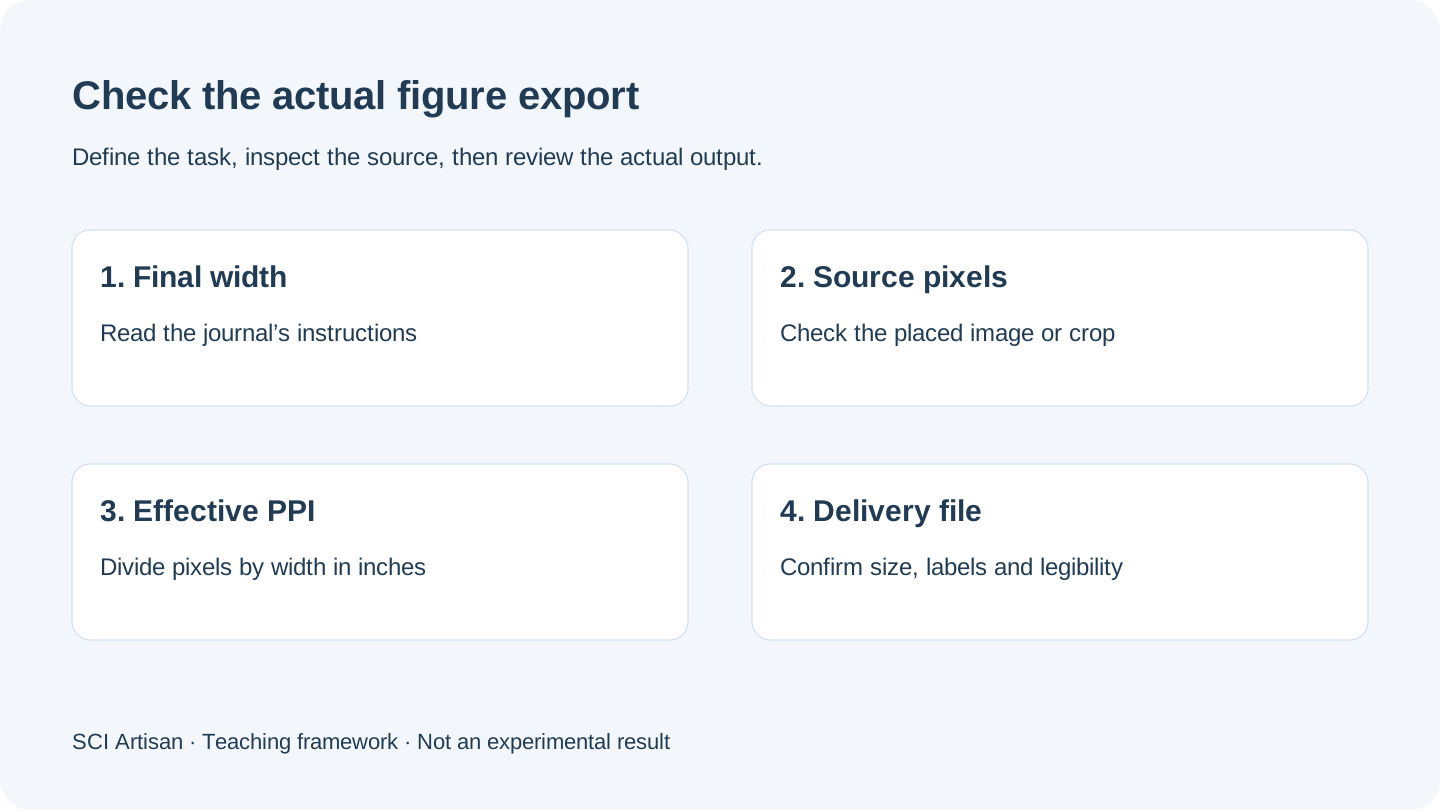
Start with the journal’s requested width
Record the physical width, accepted file types and any resolution requirements listed for the specific journal and submission stage. Guidance may differ for photographs, mixed graphics and line art. Check the requirements for the figure category you are preparing and confirm whether the publisher wants a combined figure or separate panel files. Nature figure specifications · PLOS Biology figure guidelines
Convert millimeters to effective PPI
Use 1 inch = 25.4 mm.
- Effective PPI = available pixels across the raster image ÷ its placed width in inches.
- Minimum raster width in pixels = round up the result of multiplying (placed width in mm ÷ 25.4) by the target PPI.
PPI describes the image pixels per inch at the placed size. Publisher instructions sometimes use DPI as the requested export setting. Use the actual pixels and final width to verify the raster detail.
| Example | Actual or target size | Result |
|---|---|---|
| Minimum pixel width at 300 PPI | 85 mm wide | 1,004 pixels |
| Full published figure raster at a hypothetical display width | 2,412 pixels placed at 180 mm | About 340 effective PPI |
| A small crop enlarged for a detail panel | 160 pixels placed at 35 mm | About 116 effective PPI |
The 2,412-pixel example uses the publisher raster of PLOS Biology Figure 1. The widths in the table are calculation examples and should be replaced with the target publication dimensions. Check narrow insets and image panels independently. A large overall export can contain a small crop with limited source pixels. For source-region correspondence, see the scientific figure inset guide.
Check the export according to its contents
PNG or TIFF. Read the file’s actual pixel dimensions. Verify the intended physical width separately and calculate the effective resolution. Open the file at that width to check the clarity of the smallest label and the visible detail in each image panel.
PDF or SVG. Check the page or artboard size in the delivered file. Test whether letters, lines and chart elements remain editable where required. Inspect raster images and effects separately. When a PDF combines vector labels and placed microscopy, the raster images still have a finite pixel count at their placed size.
Mixed figures. Check the lowest-resolution panel and the fine line work. If a placed image has too few source pixels, use a higher-resolution original if available, or reduce the panel’s physical width if the figure remains interpretable. Keep the chart source and original image files with the working project. Nature panel preparation and export
Make a last pass at the target size
- Measure the width in the actual delivery file.
- Calculate PPI for the image region with the fewest available pixels relative to its display size.
- Locate the smallest panel letter, tick label and scale-bar label. Verify legibility at the planned printed or displayed width.
- Compare the panel order, legend, line styles and image boundaries with the caption and working file.
- Keep the named final export and the editable source together for coauthor review.
Record the checked width, effective PPI for critical panels, file type and version. If any panel changes during revision, recheck the actual export. The submission checklist covers the rest of the submission handoff, and the multi-panel layout guide helps when spacing and labels need revision.
Frequently asked questions
How many pixels wide should a scientific figure be?
Convert the required physical width to inches and multiply by the target raster PPI. Round up when you need to meet a minimum. At 85 mm and 300 PPI the minimum is 1,004 pixels.
How do I find the effective PPI of a placed image?
Divide its actual usable pixel width by the width it occupies in the submitted figure, measured in inches. Use the retained pixels of a crop to check a magnified panel.
Does PDF or SVG guarantee high resolution?
PDF and SVG can contain both vector components and raster images. Inspect any embedded microscopy, photos or rasterized components at their final physical size.
Does changing the export metadata to 300 DPI add detail?
A metadata change can affect the file’s interpreted print size. Resampling can add pixels for display, while the original recorded detail remains limited by the source.
Sources and scope
- Nature Research Figure Guide: Preparing figures
- Nature Research Figure Guide: Building and exporting figure panels
- PLOS Biology: Figure guidelines
- Imaz-Iruretagoyena et al., PLOS Biology, Figure 1
Sources apply within their stated scope. Archive records describe existing work; international account access and checkout remain closed.
Choose the next step
Understand the platform · Scope a design commission · Contact support