
How to Design a Circular Review Figure
Use a circle for related categories around one topic. Separate information levels, limit dense labels and choose another layout when the content is mainly comparison or sequence.
Decide whether a circle fits
A circle suits a common theme with peer-level categories. It can imply a cycle if its arrows form a loop, so do not add that loop when no cyclic relationship is intended. A matrix is often clearer for repeated criteria; a linear workflow is often clearer for chronological stages.
Assign a role to each ring or sector
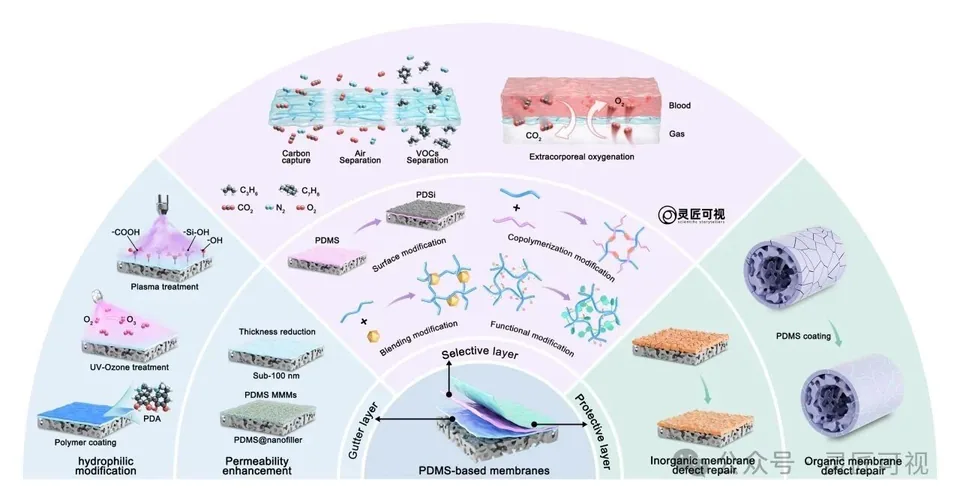
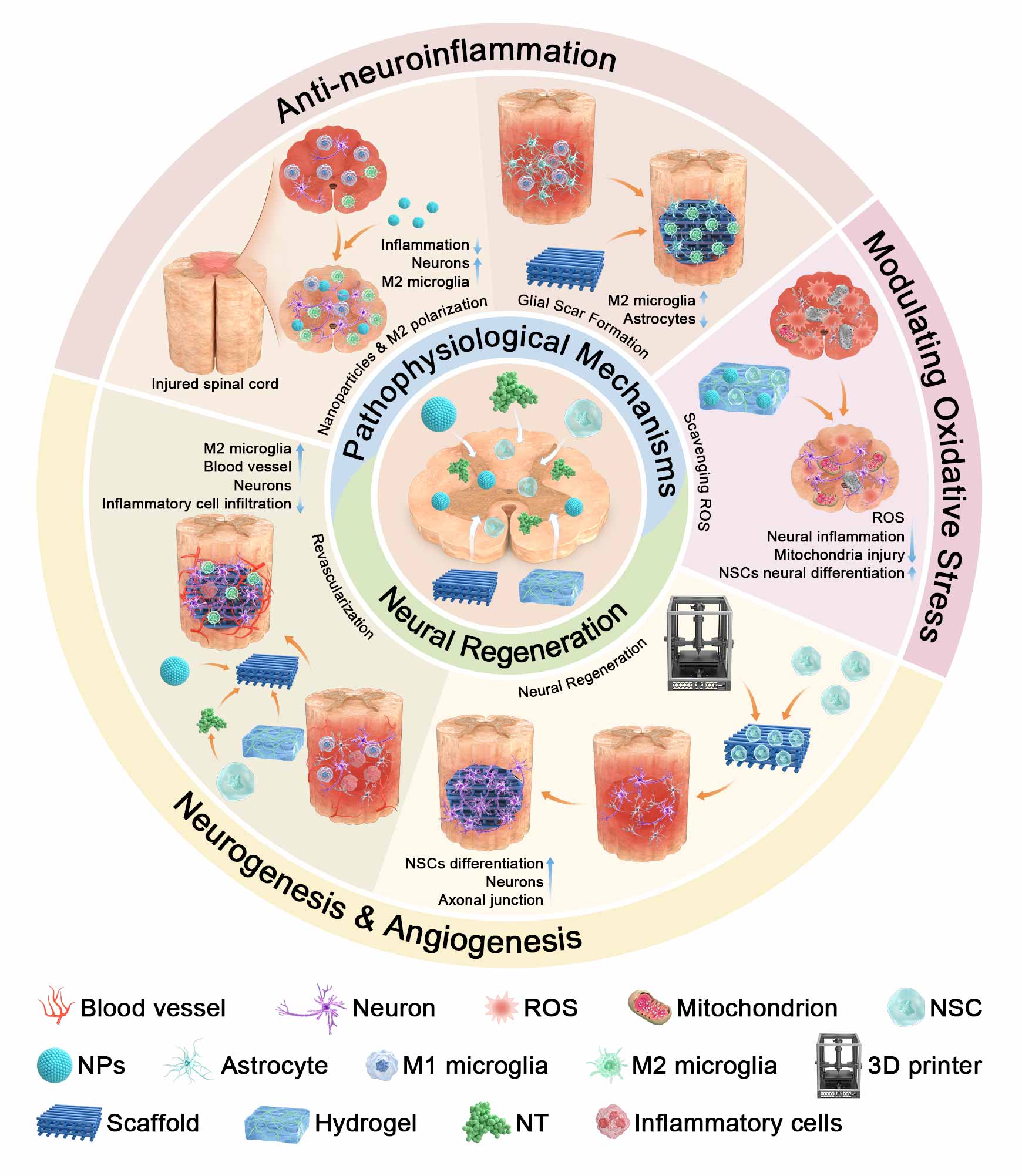
Use the center for the topic or common reference. Define what the sectors represent before assigning colors. If outer layers show applications, make that level distinct from materials and modification methods. In the PDMS example, membrane roles, strategies and applications have separate positions.
Build with placeholders and check the crowded areas
Test the longest label in the narrowest sector. If the text cannot remain readable at final size, shorten a category name without changing its meaning, move supporting detail to a caption or split the figure. Avoid shrinking every label just to preserve a circular outline.
Treat PPT and editor files as separate deliverables
A circle inserted into PowerPoint may be one image, several editable shapes or a mixture. Check the actual object structure. Keep the original source project, template permission record and exported preview; the file extension alone does not prove full editability.
Complete a final review
Confirm category evidence, layer meaning, arrow roles and source attribution. Compare a reduced view and a grayscale view to detect dependence on color alone. For practical editing see online review figures; for alternative structures see layout selection. Review-figure commissions are scoped separately from platform plans.

Sources and scope
Sources apply within their stated scope. Archive records describe existing work; international account access and checkout remain closed.
Choose the next step
Understand the platform · Scope a design commission · Contact support