
How to Make a Review Figure
Start from the review question and cited categories. Choose a layout that explains their relationships, then refine labels and visual roles before the journal and export checks.
Define the question and literature scope
Decide whether the figure summarizes a field, compares strategies or explains a progression. Record the evidence supporting each category and connection. Materials, methods, properties and applications are different levels; they should not become equal wedges merely because they fit a template.
Match the structure to the task
| Task | Possible layout | Main check |
|---|---|---|
| Group related categories | Circular or semicircular | Comparable categories at each level |
| Compare the same criteria | Matrix | Consistent row and column definitions |
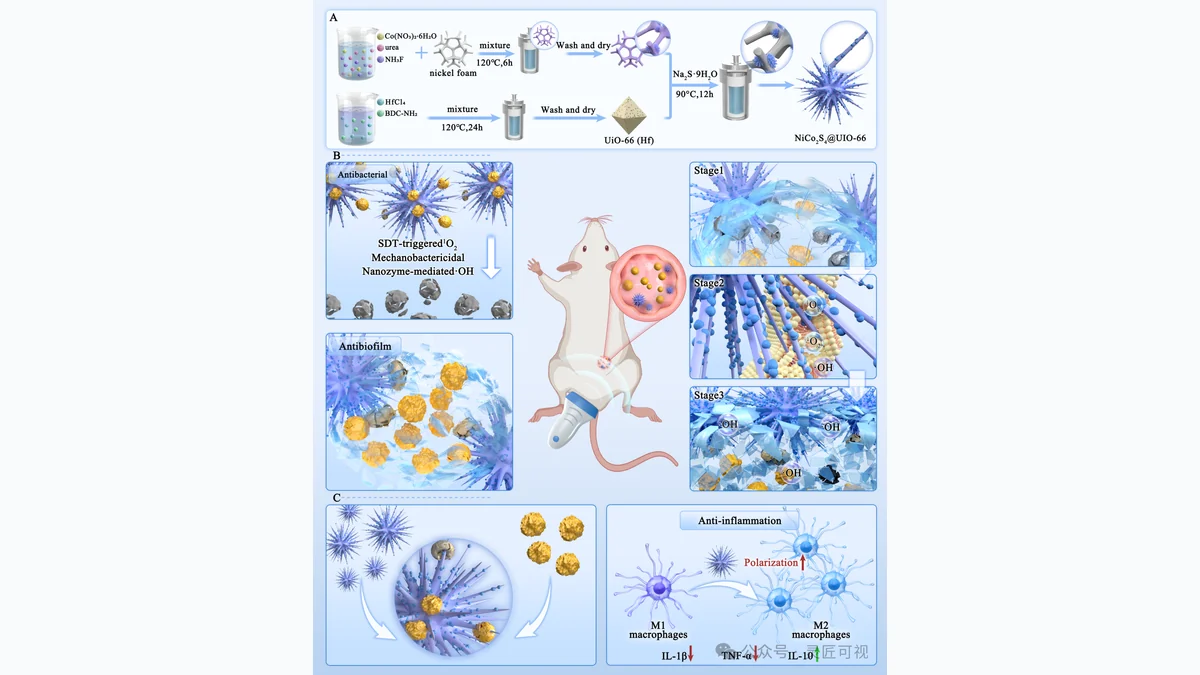
| Explain different levels or stages | Separate panels | Explicit reading order and cross-references |
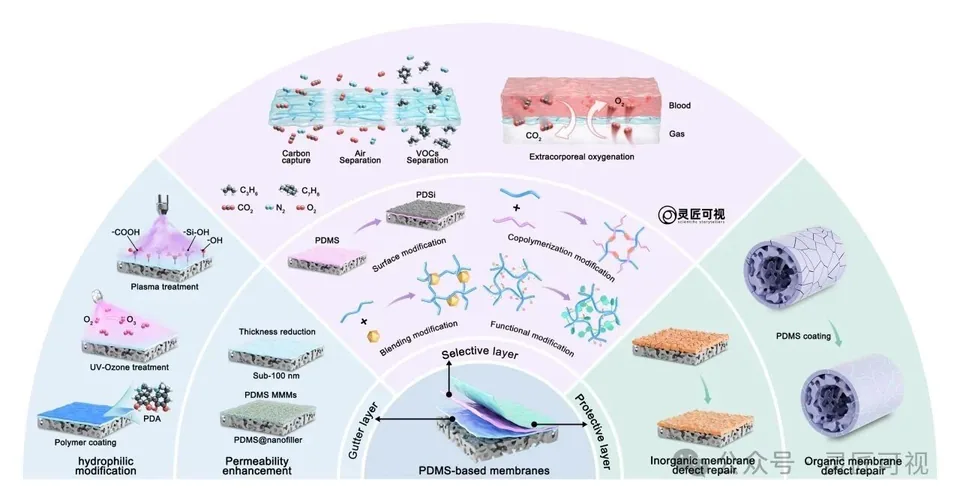
The PDMS membrane figure separates a central membrane, surrounding strategies and outer applications. The layout-selection guide addresses crowded versions of this problem.
Work through content, relations and style
Draft a content skeleton with placeholder labels first. Verify grouping and arrow meaning next. Then standardize type, color, spacing and object detail. These passes make scientific revision easier than polishing all elements before the hierarchy is approved.
Use templates with a source record
Replace every placeholder and check the permission terms for assets and the template. Keep the editable project separately from exported images. The online review workflow explains this sequence; the circular tutorial focuses on sector and ring choices. The overseas platform remains a closed preview.
Review the publication package
Check literature support, final-size labels, accessible color roles, source permissions and the target journal's current artwork instructions. Record any caption or attribution wording. Use review-figure requirements and review-figure services for the relevant next step.

Sources and scope
Sources apply within their stated scope. Archive records describe existing work; international account access and checkout remain closed.
Choose the next step
Understand the platform · Scope a design commission · Contact support